
Home › Integrations › Google Business Profile
Google Business Profile integration
Your Business Profile is the listing customers see on Google Maps and in local search. Bloomize shows how many of them called, asked for directions or visited your website, and which reviews still need a reply.
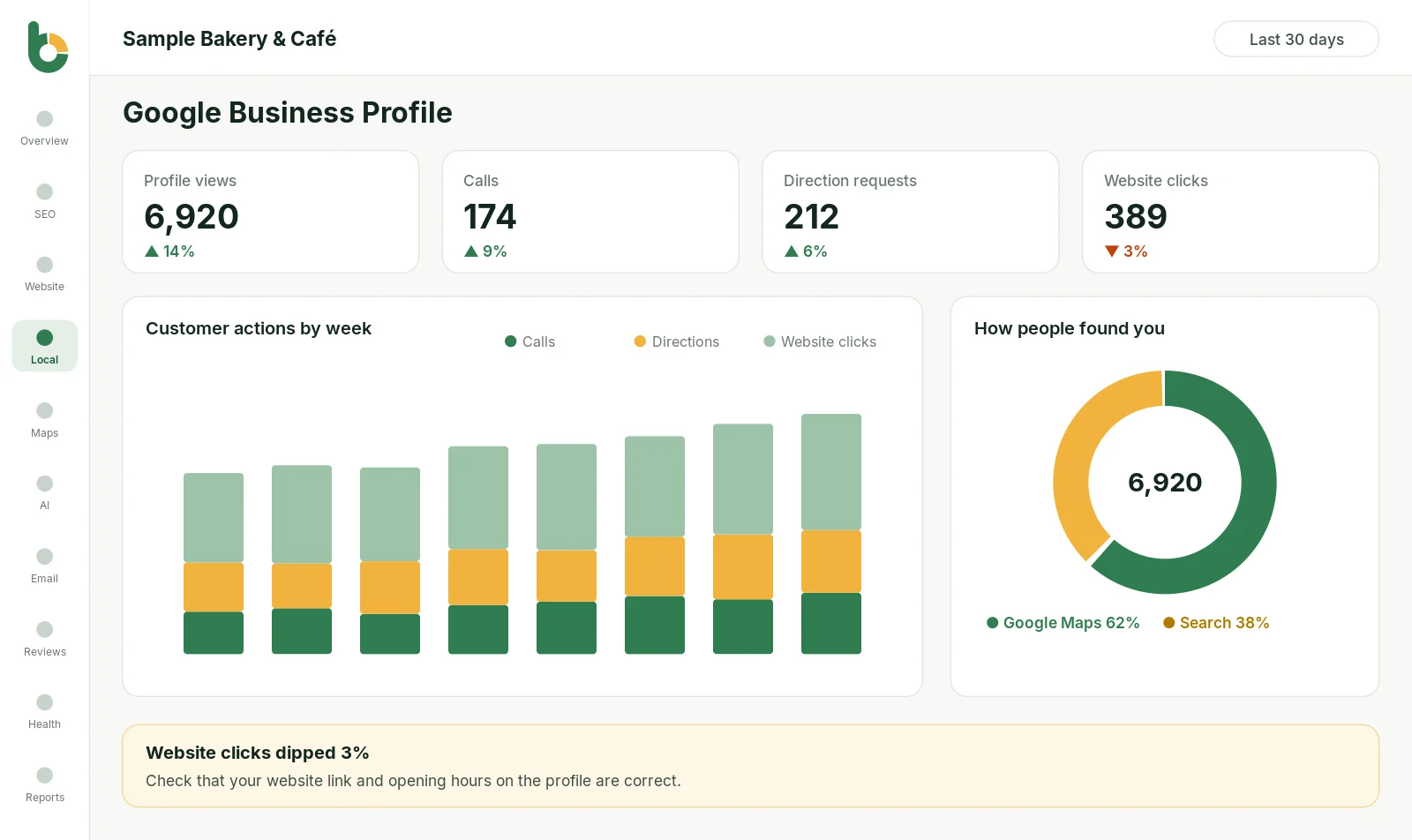

What you see
How many people tapped Call on your listing this month.
How many people asked Google for directions to your business.
Clicks from your listing to your website.
How often your listing was seen on Google Search and Maps.
New reviews, your average rating over time and reviews still waiting for a reply.
On Growth and up: a rank grid of where you show up across your area.
For many local businesses, the Business Profile brings in as many calls as the website, or more, yet owners rarely see its numbers. Google shows a few of them inside the profile editor; Bloomize keeps the history, compares each month and puts it next to your website results, so you can see whether your listing is growing.
Haven’t claimed your profile yet? Start at Google Business Profile; it is free.
Google permission requested: business.manage. Google offers only this one permission level for Business Profile data. Bloomize uses it only to read performance data and reviews; it never edits your listing, posts updates or replies to reviews for you.
Bloomize only reads your data. It never posts, edits, deletes or sells anything, and it never uses your data for advertising. You can disconnect at any time: remove access from your Google Account permissions (or Constant Contact’s settings), or ask us at support. How we handle Google data follows the Google API Services User Data Policy, including its Limited Use requirements. Read more in our Privacy Policy and on our Security page.
Related: Google Business Profile feature · All integrations · Sample report
Trusted guides from the source, if you want to go deeper.
No. Bloomize shows which reviews need a reply and reminds you; you reply in Google yourself, in your own words.
Yes. Growth covers 2 locations, Pro covers 3, and the Agency plan covers 10 businesses or more.
Each time someone asks Google Maps for a route to your business from your listing. See our direction requests explainer.
Try Bloomize free
14-day free trial. Read-only access, cancel anytime before the trial ends and pay nothing.