
Included in every plan
Bloomize connects to Google Search Console and shows, in plain words, which searches you appear for, how many people click through to your website, and which pages earn those clicks. No more digging through charts.
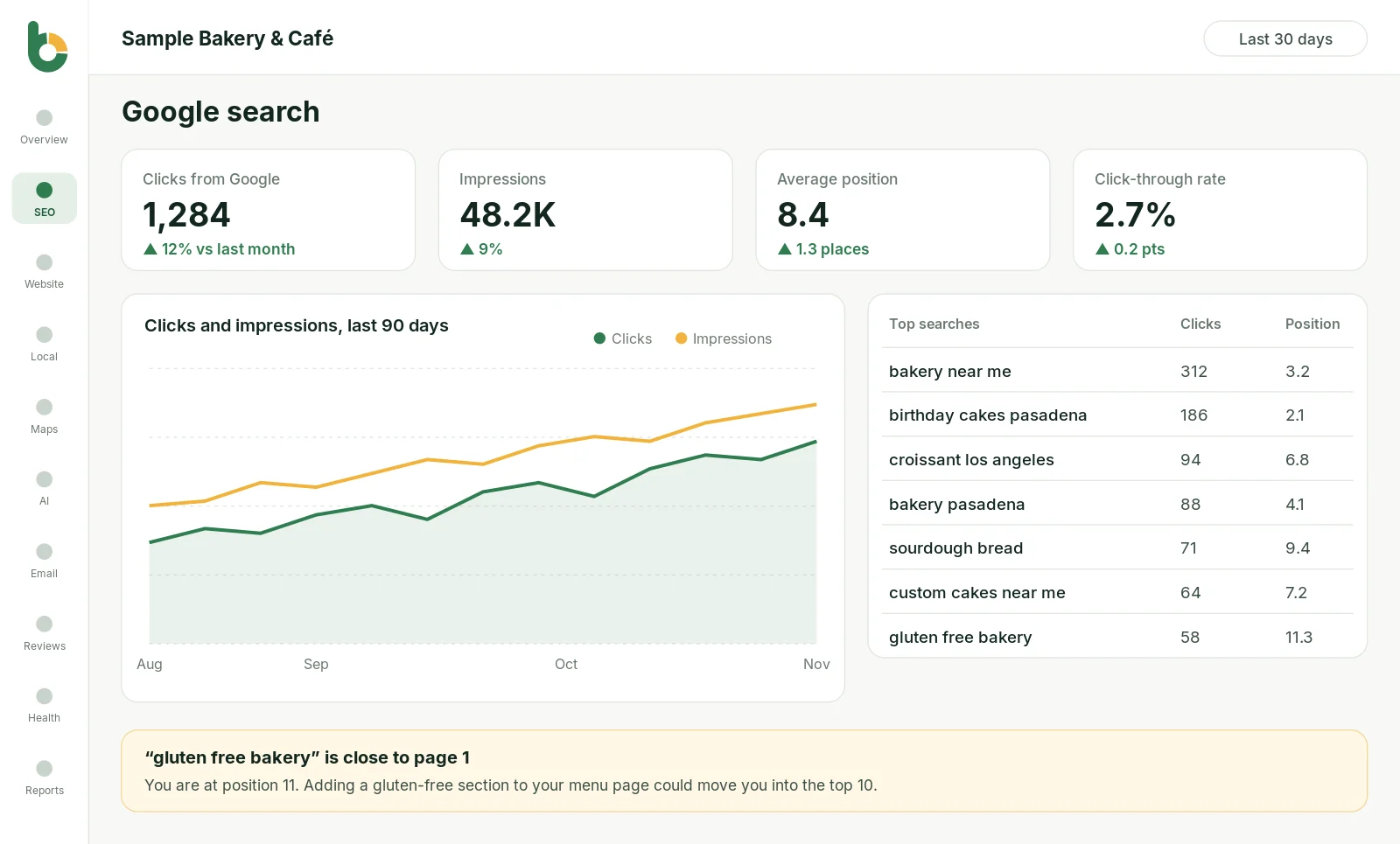
What we measure
How many times people clicked your website in Google search results. This is real traffic from people looking for what you offer.
How often your website appeared in search results, even when nobody clicked. Rising impressions mean Google is showing you more.
Where you usually appear in the results. Position 1 to 3 gets most clicks; anything past 10 is on page two.
The share of people who saw you and clicked. A low rate can mean your page title or description needs work.
The exact words people typed before they found you, with clicks and position for each one.
Which pages on your website bring in the most search visitors, so you know what to improve and what to copy.
Most customers start with a search. Someone types “bakery near me” or “emergency plumber Pasadena”, looks at the first few results and picks one. Google Search Console is the only place that shows those searches for your own website, but its reports are built for SEO specialists, not busy owners.
Bloomize reads that data for you, read-only, and turns it into a short report: what went up, what went down, and why it matters. Everything is compared with the previous month, so you can see at a glance whether your website is gaining or losing ground on Google.
Example from a real-style report
The report uses your own Google Search Console account, connected with a one-time Google sign-in. Bloomize only asks for read-only access and never changes your settings. Data usually loads with 16 months of history, so you can compare this season with last year from day one. Read our guide to Google Search Console for small businesses to learn more.
Yes. Search Console is free from Google. If you don’t have it yet, Bloomize shows you how to set it up, or our team can do it for you.
Search Console shows what happens on Google before someone visits you: the searches, your position and clicks. Analytics shows what visitors do on your website after they arrive. Bloomize shows both.
Google publishes Search Console data with a delay of about two days. Bloomize refreshes it every day.
Try Bloomize free
14-day free trial, cancel anytime. Read-only access to your accounts, and you can disconnect at any time.