When someone searches “pizza near me” or “auto repair” on their phone, Google shows a map with three businesses at the top, often called the “local pack.” For many local businesses, being in those top three is worth more than any ad. But your position isn’t one fixed number: it depends on where the person is standing when they search.
What Google looks at
Google says local results are mainly based on three things:
- Relevance: how well your Business Profile matches the search. Your primary category, services, description and the words in your reviews all count.
- Distance: how far your business is from the person searching, or from the area named in the search.
- Prominence: how well known your business is. Reviews and ratings, mentions on other websites, and your overall web presence all play a part.
You can’t change distance, but you can improve relevance and prominence.
Why a single ranking number misleads
If you search for your own business from your shop, you’ll probably rank near the top. A customer two miles away may see you at number 9, or not at all. That’s why checking rankings from one spot gives a false sense of security.
What a rank grid shows
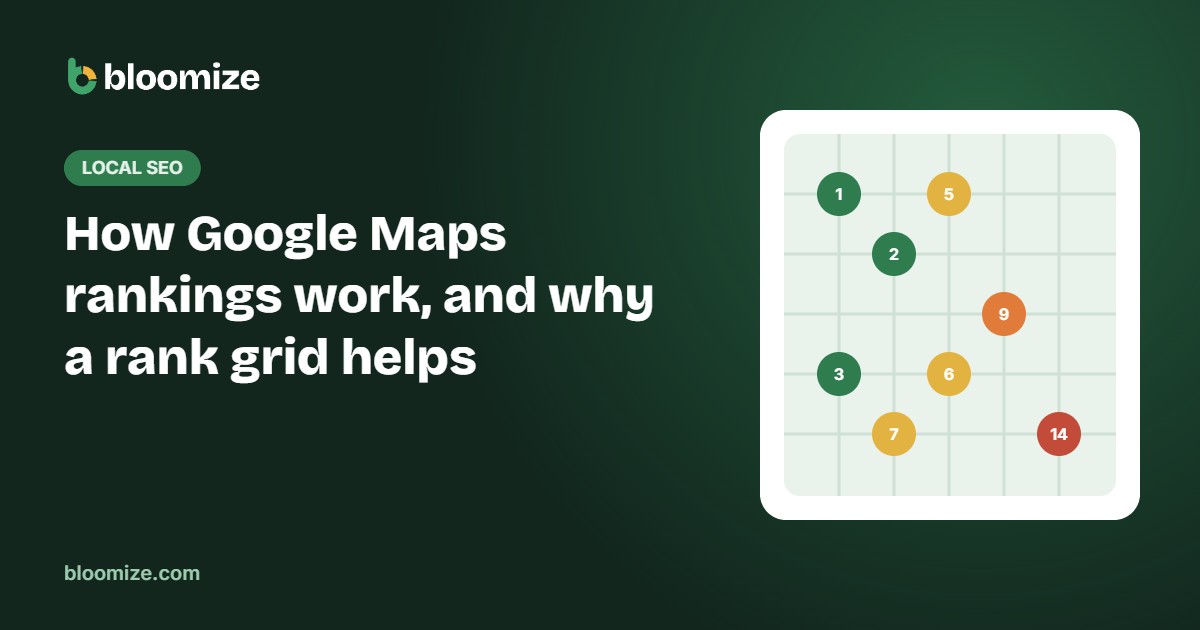
A rank grid checks the same search from many points around your business, for example a 7 × 7 grid covering a few miles. Each square shows your position from that spot. The result is a simple heat map:
- Green squares (top 3): customers there see you first and are likely to call.
- Yellow squares (4 to 10): you’re visible, but easy to miss.
- Dark squares (beyond 10): customers there won’t find you.
Watching the grid over time shows whether your work is spreading your reach, and in which direction competitors are beating you.
Five ways to improve your Maps position
- Pick the right primary category on your Google Business Profile, and add secondary categories for other services.
- Complete every field: hours, services, products, photos, and a description that names what you do and where.
- Get steady, genuine reviews and reply to them. A few new reviews every month beat a burst once a year.
- Make your website match your profile: the same name, address and phone number, and a page for each main service.
- Get mentioned locally: chambers of commerce, local news, sponsorships and partner websites.
Bloomize runs rank grids for your main keywords and shows them on your dashboard next to your calls and reviews, so you can see whether changes are paying off. Start with a free check.