
Included in every plan
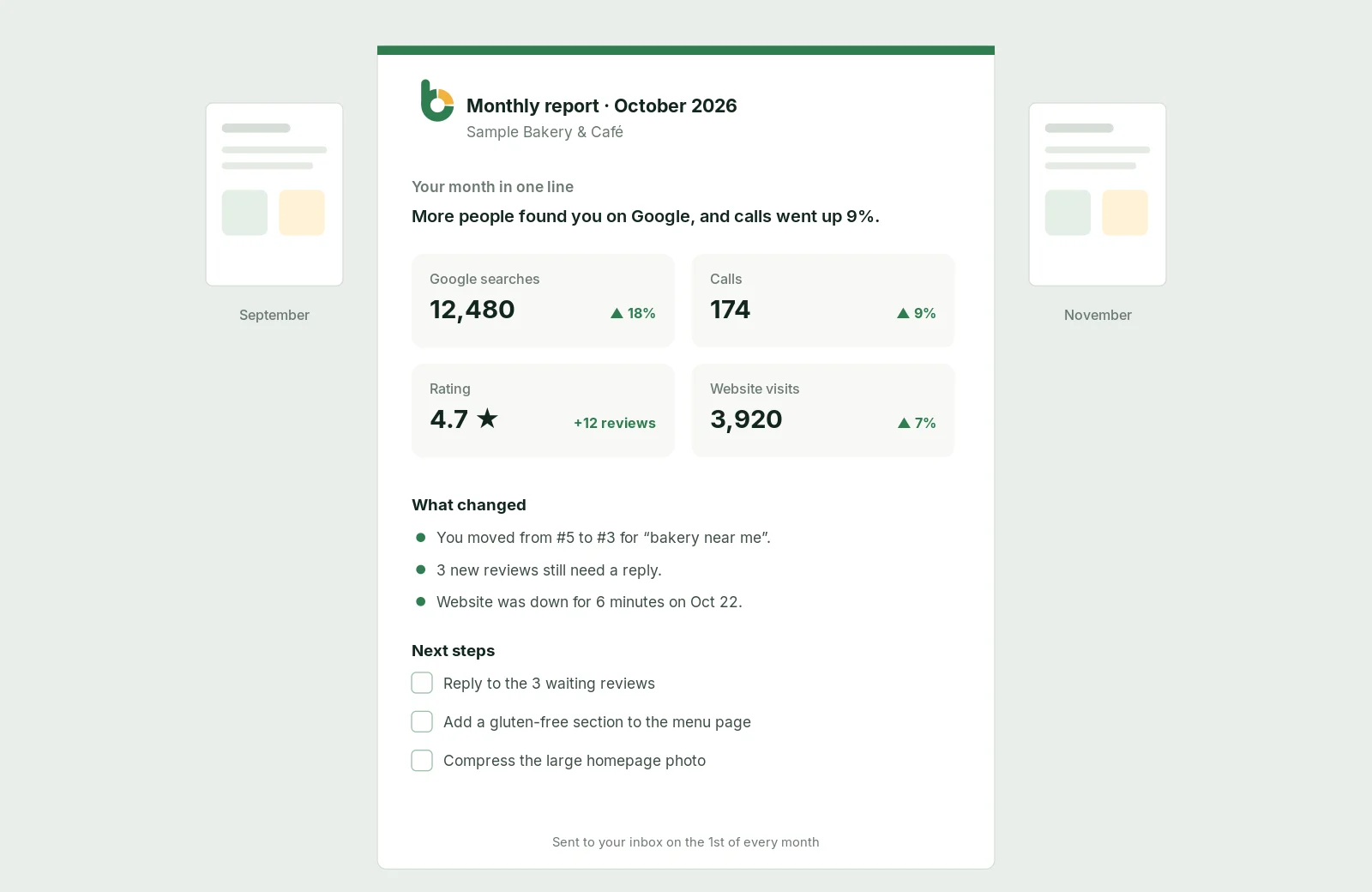
On the first day of every month, Bloomize emails you a one-page summary: what changed, what it means, and the three things worth doing next. Perfect for owners who don’t have time to log in, and for agencies that report to clients.
What we measure
A one-sentence summary of how your business did on Google and online this month.
Searches, calls, rating and website visits, each compared with the previous month.
The biggest movements, good and bad, explained in plain words.
Three practical actions for the coming month, ranked by impact.
Download or forward the report to a partner, manager or accountant.
Agencies send the same report under their own logo and domain.
Most marketing reports are long, full of charts and hard to act on. The Bloomize monthly report fits on one page and reads like a short note from a marketing advisor: here is what happened, here is why, here is what to do. It takes two minutes to read.
Example from a real-style report
Agencies use the monthly report to keep every client informed automatically. With the agency plan, reports carry your logo and come from your domain, and each client can log in to their own dashboard. See agency pricing.
On the first day of each month, covering the month before.
Yes. Add as many email addresses as you like, such as a partner or your office manager.
Yes. Every report is saved in your dashboard, so you can look back at any month.
Try Bloomize free
14-day free trial, cancel anytime. Read-only access to your accounts, and you can disconnect at any time.