
Home › Integrations › Constant Contact
Constant Contact integration
Email is one of the cheapest ways to bring customers back. Bloomize reads your Constant Contact campaigns and shows opens, clicks and list growth beside your Google numbers.
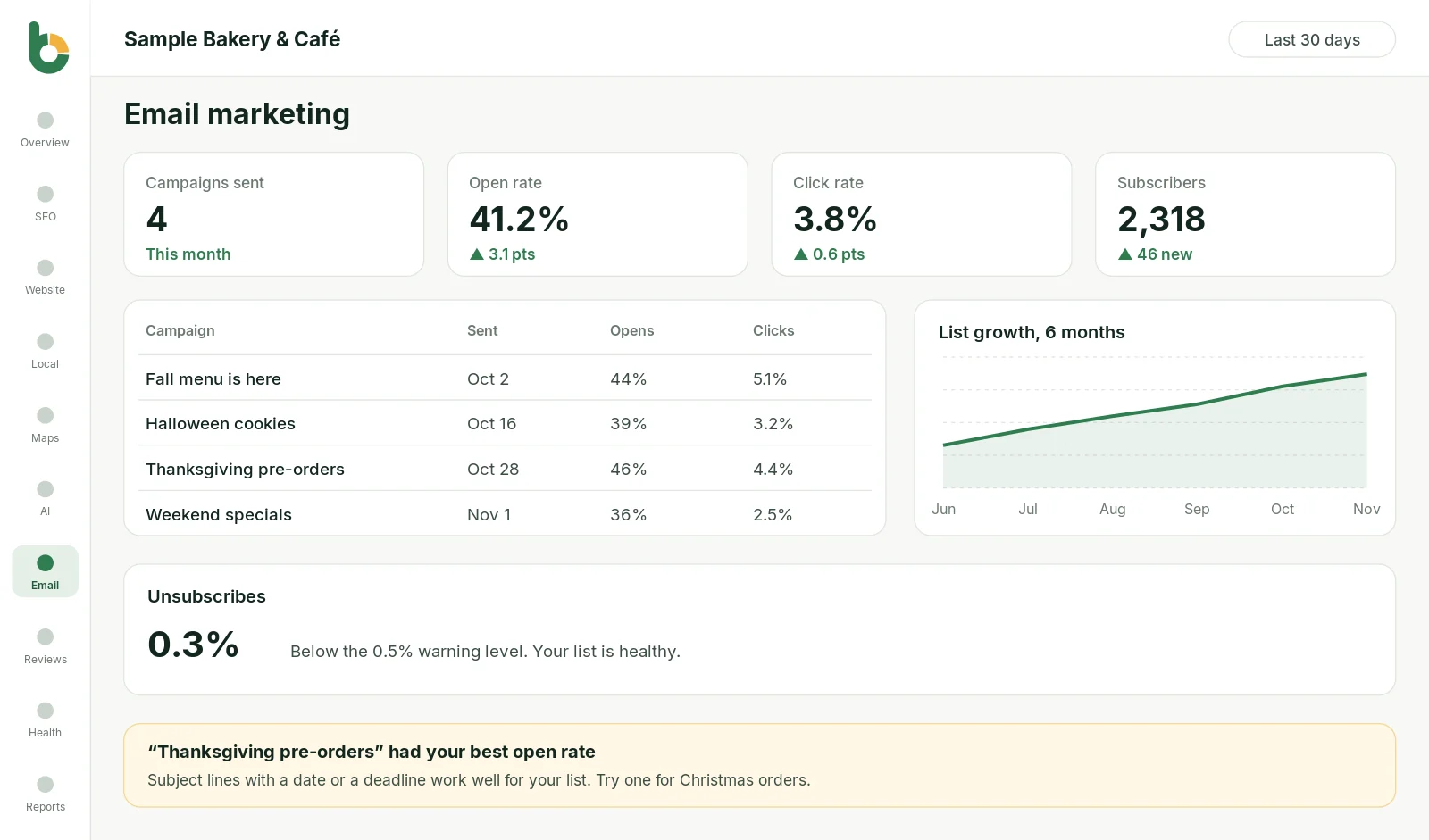

What you see
Every campaign you sent this month, with the date and audience size.
How many people opened each email, and the open rate.
How many people clicked a link, the number that shows real interest.
New contacts, unsubscribes and the size of your list over time.
Which email did best this month, so you can repeat it.
Visits from email in your website report, when Google Analytics is connected.
Constant Contact has detailed reports for each campaign. What owners miss is the bigger picture: is the list growing, are people still opening, and does email bring visitors to the website? Bloomize answers those three questions every month without you opening another dashboard.
Bloomize asks Constant Contact for read access to campaign reports and contact counts. It never sends emails, edits lists or exports your contacts.
Bloomize only reads your data. It never posts, edits, deletes or sells anything, and it never uses your data for advertising. You can disconnect at any time: remove access from your Google Account permissions (or Constant Contact’s settings), or ask us at support. How we handle Google data follows the Google API Services User Data Policy, including its Limited Use requirements. Read more in our Privacy Policy and on our Security page.
Related: Email marketing feature · All integrations · Sample report
Trusted guides from the source, if you want to go deeper.
Email marketing results are included from the Growth plan up.
Not yet. Constant Contact is supported today; tell us what you use on the contact page and we’ll let you know when it is added.
Bloomize reads totals and campaign results to build your report. It does not export or store your contact list.
Try Bloomize free
14-day free trial. Read-only access, cancel anytime before the trial ends and pay nothing.